Turn safety responsibilities into trackable work.
Important safety work often begins with a simple expectation: someone needs to do something. Simple Safety Coach helps organizations assign responsibility, establish due dates, monitor completion, and give employees one clear place to understand what needs attention.
Replace informal follow-up with clear assignments.
Training requirements, document acknowledgements, quizzes, administrative follow-up, and other responsibilities can easily become scattered across email, spreadsheets, conversations, and personal reminder lists. SSC Tasks create a consistent assignment record so employees know what they are responsible for and managers can see what is still pending.
Keep the employee, due date, activity, and status connected.
Each Task provides the information needed to make ownership clear while preserving a straightforward completion experience for employees.
- Assign a Task to the employee responsible for completing the work
- Set the applicable due date and time
- Include Task name, activity type, and supporting notes
- Track whether work remains pending or has been completed
- Give employees access through My Tasks in the browser and Mobile App while online
- Review and export Task information for management follow-up
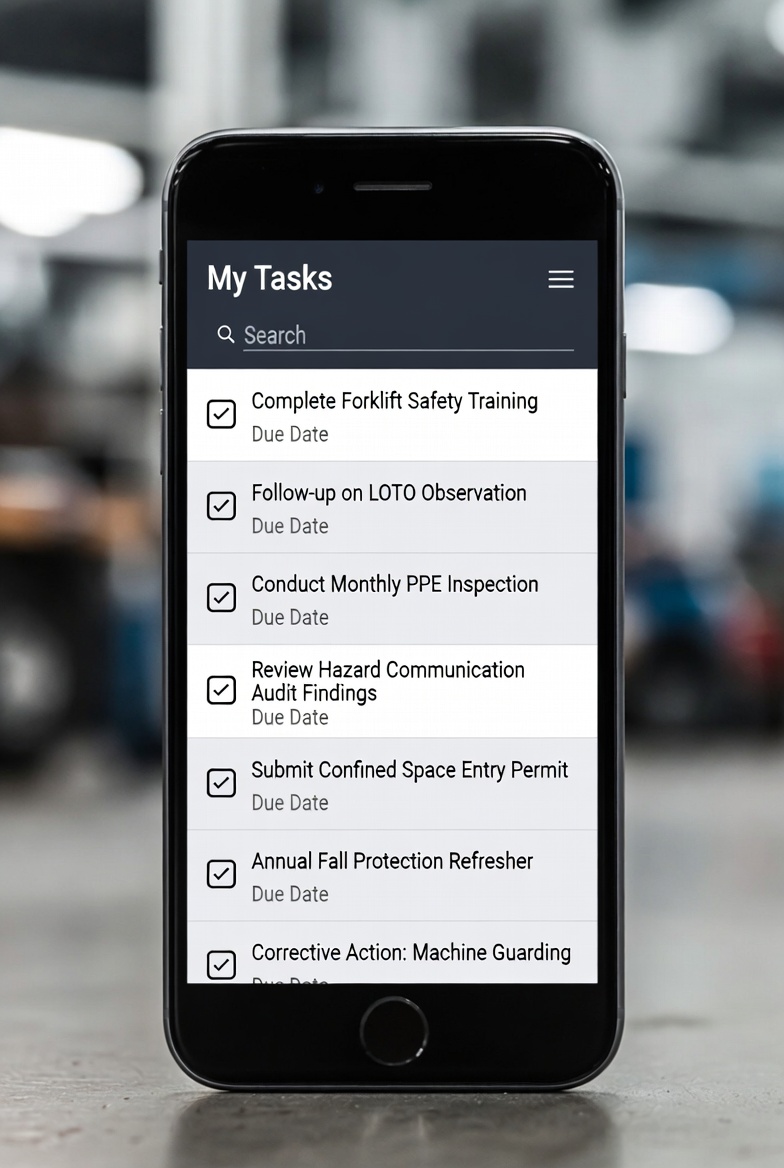
Use Tasks to connect employees directly to the work they need to complete.
Not every responsibility should be handled the same way. SSC uses a common Task framework while preserving the workflow appropriate to the assigned activity.
General Tasks
Assign an organization-defined responsibility that needs a responsible employee, due date, notes, and completion tracking.
Training
Training assignments appear as Tasks so employees have a clear path from the assigned requirement into the applicable Training activity.
Quizzes
Quiz Tasks support Training workflows that require an employee to complete the applicable knowledge check.
Signed Documents
Document-signing Tasks deliver employee-specific assignments for review, acknowledgement, signature, and retained completion records.
Give employees one place to see what needs attention.
My Tasks provides a consistent work queue for assigned activity. Employees can review pending and completed Tasks, search Task information, see due dates, open Task details, complete applicable general Tasks, and begin connected Training, Quiz, or Signed Document activities.
Find incomplete work without rebuilding the status picture manually.
The browser-based Task Management workspace allows managers to review assigned work using filters and searches such as status, Task type, employee, department, site, Task text, due-date range, and completion-date range.
Take Task information into meetings, documentation, or deeper analysis.
Task information can be exported to Excel for additional review or documentation, helping managers work from a consistent source instead of assembling assignment status from disconnected notes and spreadsheets.
Keep assigned work within reach when employees are away from a desk.
Employees can access My Tasks through both the browser and SSC Mobile App while online. Mobile access makes assigned work easier to reach without implying that Task Management is available as an offline mobile workflow.
Keep safety follow-up visible without turning SSC into a general work-management platform.
Task Management is designed for clear assignment, due dates, completion tracking, and connected SSC activity. It is not positioned as a full project-management or work-order system with subtasks, dependencies, approval chains, escalation rules, or other functionality that is not part of the implemented Task workflow.
Use Tasks as the assignment layer for the SSC capabilities that need employee action.
Training Management, Quizzes, and Signed Documents use Tasks to bring required work directly to the employee. General Tasks provide a straightforward way to assign other organization-defined responsibilities. The common framework improves visibility while each connected capability continues to manage its own specialized completion workflow.
Make follow-up easier by making incomplete work easier to see.
The goal is not to create more administrative work. It is to give employees a clear understanding of what has been assigned and give managers a practical way to identify where attention is still needed. Better visibility allows Safety Managers to spend less time reconstructing status and more time helping work move forward.