Put safety tools where the work happens.
Workplace safety does not happen only at a desk. The Simple Safety Coach Mobile App gives employees and supervisors practical access to reporting, inspections, assignments, documents, messages, and safety resources from a phone or tablet while keeping field activity connected to the broader SSC platform.
Make it easier to capture information while the details are still clear.
When employees must wait until they return to a workstation, important details can be forgotten and participation becomes harder than it needs to be. Mobile access helps employees document activity closer to the time and place it occurs, reducing friction and improving the timeliness of information available to the organization.
Bring important safety workflows into one familiar mobile experience.
The Mobile App extends selected SSC capabilities into the field while preserving the roles, permissions, records, and workflows used throughout the platform.
- Submit authenticated Safety Observations from the field
- Report Incidents and Near Misses with supporting information and photos
- Complete Audit and Inspection Forms beside the work being reviewed
- Review assigned Tasks, Training, Quizzes, and Signed Documents while online
- Access Files, SDS information, employee qualification information, assets, and other authorized resources
- Receive Messages and supported push notifications tied to SSC activity
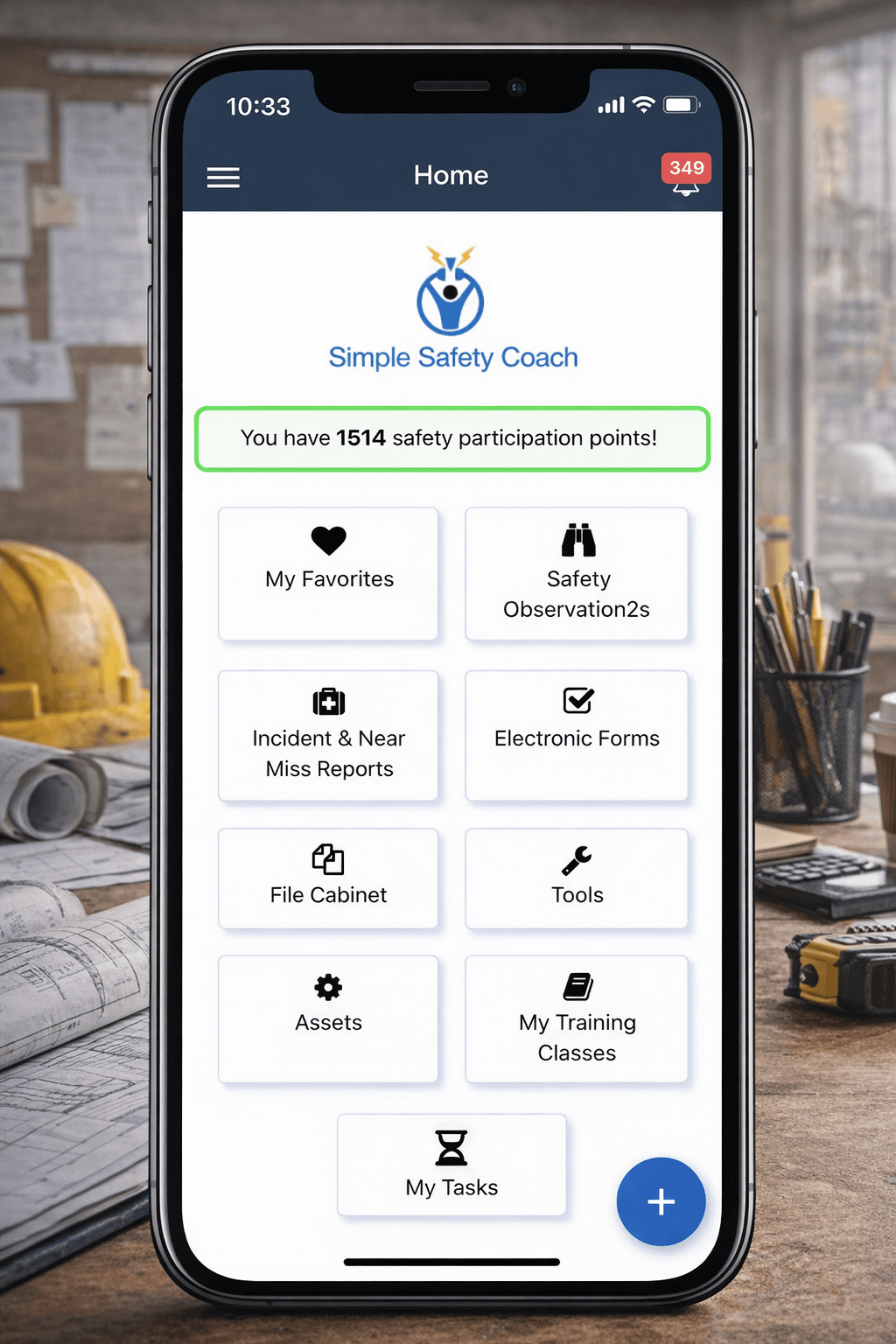
Give employees the mobile capabilities that support everyday safety work.
The app is designed around practical field activities rather than trying to duplicate every browser administration function on a smaller screen.
Report
Capture Safety Observations, Incidents, Near Misses, and supporting photos closer to the moment they occur.
Inspect
Access Forms, complete inspections in the field, retain in-progress work, and submit through the connected platform.
Complete
Use My Tasks as a starting point for general assignments, Training, Quizzes, and Signed Documents while connected.
Access
Reach Files, SDS information, Training and Certification information, Assets, and other authorized workplace resources.
Communicate
Use Message Center and supported mobile notifications to stay connected to activity associated with the employee's SSC account.
Report Prevention and Praise from the field.
Authorized employees can create authenticated Safety Observations from the Mobile App, including the core details and supporting images allowed by the workflow. That makes it easier to document conditions that need attention as well as positive behaviors worth reinforcing.
Begin the record while information is fresh.
Authorized users can start Incident and Near Miss reports from the field, document what occurred, identify relevant employees, and add supporting images. The broader SSC platform then provides the connected workflow for management review, investigation, documentation, and reporting.
Take inspections to the area, process, or asset being reviewed.
Authorized users can work with available inspection forms on a phone or tablet, capture configured responses, notes, and supporting images, and submit completed forms into SSC. Selected offline support helps inspection work continue in low-connectivity areas.
Keep assigned work within reach.
While online, employees can review My Tasks, due dates, general assignments, Training, Quizzes, and document-signing work. Signed Documents can be reviewed and signed through the supported mobile workflow without requiring the employee to return to a desktop computer.
Support selected disconnected workflows without pretending the entire app works offline.
Connectivity varies across plants, jobsites, remote facilities, and field locations. SSC applies offline support to selected workflows and downloaded resources while other functions continue to require an active connection.
- Safety Observations can be saved locally and submitted later through the supported workflow.
- Incident Reports can be saved locally and submitted later through the supported workflow.
- Audit and Inspection Form templates can be downloaded, with in-progress Forms retained locally.
- Selected Files and SDS information can be downloaded for later access.
- My Tasks requires an active connection for current assignment activity.
- Training and Quizzes require an active connection.
- Signed Document submission requires an active connection.
- Messages and many live lookups require an active connection.
Keep communication connected to the employee's SSC account.
The Mobile App provides access to SSC Message Center capabilities for authorized users, including received, sent, and archived Messages and composing Messages when permitted. Supported push notifications can also help alert eligible employees to activity associated with their SSC account.
Make field participation easier without creating a separate security model.
The Mobile App remains part of the governed SSC platform. What an employee can see or do depends on the employee's role, company subscriptions, organizational configuration, record-level access rules, active status, mobile-app access, and current connectivity. Mobile access extends SSC into the field without bypassing the controls used elsewhere in the platform.
Bring safety activity closer to the people who see the work first.
The Mobile App helps reduce the friction between seeing something, acting on it, and documenting it. That gives Safety Managers better access to timely field information while allowing employees to participate through a tool designed around where much of the actual safety work occurs.