Make Safety Data Sheets easy to find.
When employees need chemical information, they should know exactly where to look. Simple Safety Coach keeps Safety Data Sheets, chemical location and use information, revision history, and SDS requests together in one searchable system that can be accessed from any browser.
Replace scattered binders, shared drives, and disconnected files.
SDS management becomes harder when information is stored in several places or when employees are unsure which document is current. SSC provides a centralized SDS library so employees have a consistent place to begin and Safety Managers can maintain the records from one system.
Manage more than a folder full of PDFs.
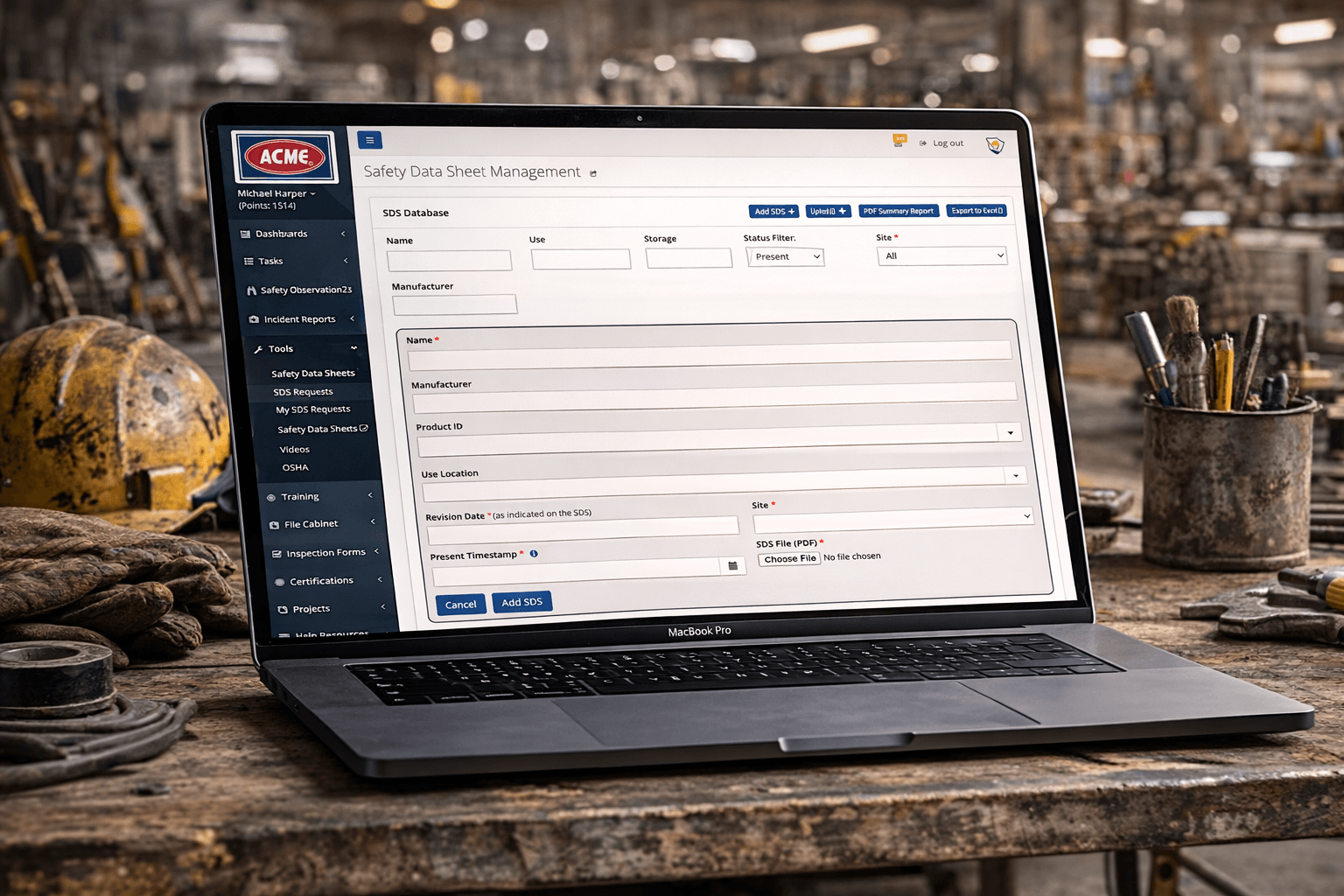
SSC combines the Safety Data Sheet itself with practical information about the chemical and its use in your organization, helping administrators maintain context that would otherwise live in separate files or spreadsheets.
- Upload and maintain Safety Data Sheets in a centralized library
- Track the site and storage location associated with a chemical
- Document where and how a chemical is used
- Maintain SDS revision history as updated documents are received
- Record when a chemical becomes present on site and when it is no longer present
- Search SDS records so employees can locate information more quickly
Give employees a faster path to the information inside the SDS.
Employees may need an SDS for different reasons during the workday. Keeping the documents organized and searchable reduces unnecessary time spent locating the right source.
Handling guidance
Find the SDS when employees or supervisors need to review handling precautions for a chemical.
Storage information
Keep organizational storage details with the chemical record so important context is easier to locate.
PPE information
Provide a direct route to the SDS when employees need to review manufacturer-provided protective-equipment guidance.
Emergency information
Help authorized employees reach the relevant SDS quickly when response or first-aid information needs to be reviewed.
Give employees a simple browser-based view of the SDSs currently in use.
Authorized users can view the organization's current SDS inventory from a web browser without needing to be at a specific workstation or rely on a paper binder. That makes the current SDS collection easier to reach from offices, shared workstations, tablets, and other browser-enabled devices.
Let employees request an SDS when they cannot find what they need.
Employees can submit a request for a new Safety Data Sheet directly through SSC. Rather than relying on an email, hallway conversation, or handwritten note, the request becomes visible in the system so it can be followed through to resolution.
Keep incoming SDS requests organized and visible.
Safety Managers can review and manage employee SDS requests from a dedicated request-management view. Employees can also see their own SDS requests, giving both sides a clearer record of what has been requested instead of requiring separate manual tracking.
Keep newer SDS revisions connected to the chemical record.
When an updated Safety Data Sheet is received, SSC lets administrators add the new revision while retaining the prior history. Dates can also document when a chemical revision became present on site and when that material was no longer present.
Add multiple SDS records without creating every shell one at a time.
SSC supports an Excel-based bulk upload process that can create multiple SDS records at once. Administrators can then complete each record with revision information and the corresponding SDS PDF.
Make SDS information available beyond the Safety Manager's desk.
Authorized employees can access the current SDS inventory through the SSC browser application from any browser-enabled device, as well as through supported mobile workflows. Where downloaded mobile SDS content is supported, employees can retain selected information for later access and refresh it after reconnecting. Offline availability remains specific to supported SDS workflows rather than the entire application.
Keep chemical information close to the rest of the safety work.
SDS records remain managed within the SDS capability, while employees can move between SDS information and other authorized SSC resources such as Safety Observations, Incident Management, Audit & Inspection Forms, Tasks, and organizational documents without moving between separate software systems.